Off topic, again
Lilo Coffee Roasters is good, but not as shockingly great as Glitch.
The beans were OK for me, just a bit too lightly roasted.
Maybe I’ll just buy the beans next time.

Back to the post
Recently I built a small project and wanted to run it inside a Docker container.
I was going to host this Docker container inside my homelab, but I’m too lazy to run docker build and docker run manually every time I change something.
So again, Komodo comes to the rescue
It takes your code and
Dockerfile, and builds the Docker image for you.
Then it deploys it for you, all in one git push, no additional GitHub Action.
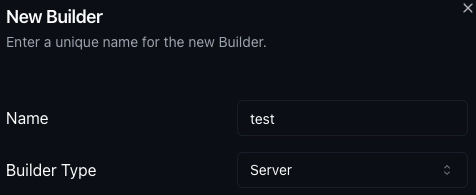
Add a builder in Komodo to build the image
- Go to
Resources > Builders- Click
New Builder, set thenameof your builder, and set Builder Type =Server- Pick the server you want to build your Docker image at
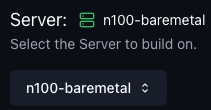
Add a build profile in Komodo, which automates the build
- Go to
Resources > Builds- Fill in the necessary information
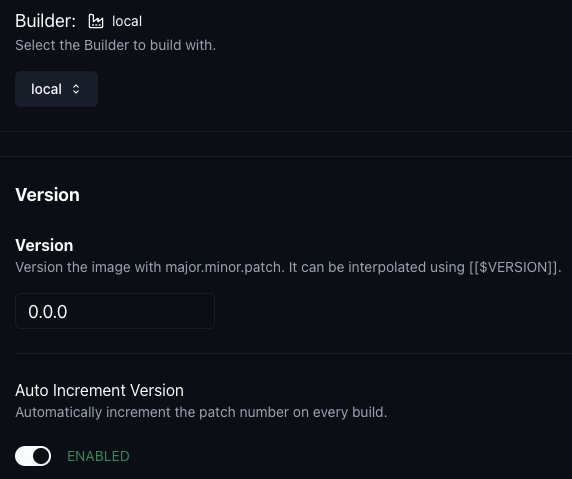
- Builder
- Version (You can set initial version and auto-increment the version per git push)
- Source, account and repo
- Image Registry (you can push to a custom image registry like Docker Hub, Nexus…)
- The build will look for the
Dockerfilein the root of the git repo
- If you want to change that, change the
Dockerfile path
Yes, your instincts are right. The automation is done by webhook. Again.
- Just like the automatic stack deployment , enable the webhook function
- Set the secret, then copy the URL and secret to the Gitea project
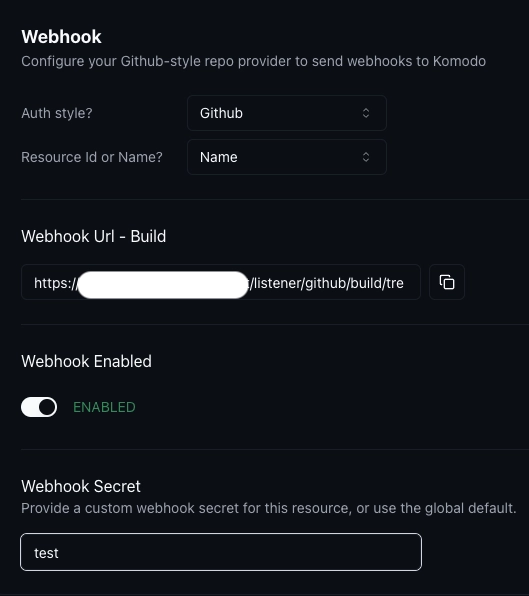
Then you have automatic Docker image builds when you push your changes to the git repo.
Final touch: auto-deployment after build
- Go to
Resources > Deployments- Fill in the necessary information
- Server (that hosts the Docker container; if your build destination is local, please make sure you run it on the same machine)
- Build (Select
Buildin the first dropdown, then choose the build you created in the previous step)- Turn on “Redeploy on build” to automatically deploy after the build is complete
- Network Mode
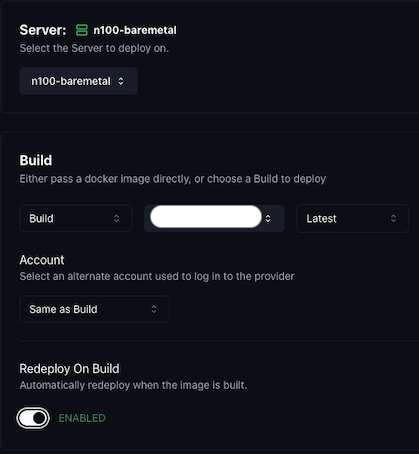
After filling those in, you can test it by pushing changes to the git repo
and watching the container get redeployed automatically.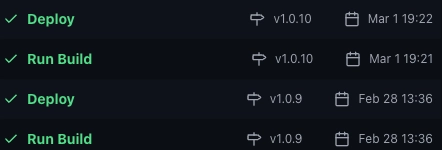
Maybe I want a centralized private Docker registry one day, just because it would be more convenient for building and deploying across different machines.