What just happened
I have a repo
to collect ProtonVPN data for my own convenience and some extra network checks.
This “API” is undocumented (it was never meant to be an API), but users have been using it to get endpoint and load data for each server.
It used to be available without authentication, but now it needs a cookie.
The endpoint
worked just fine for a while.
Then the behavior changed recently, affecting account profile generation and the Chrome extension.
In my notes, the responses started changing in October.
When I was checking through the IP list to update my router’s configuration a few days ago,
I found that most of the entries were missing from my result set. The same thing was happening on the account page and in the Chrome extension.
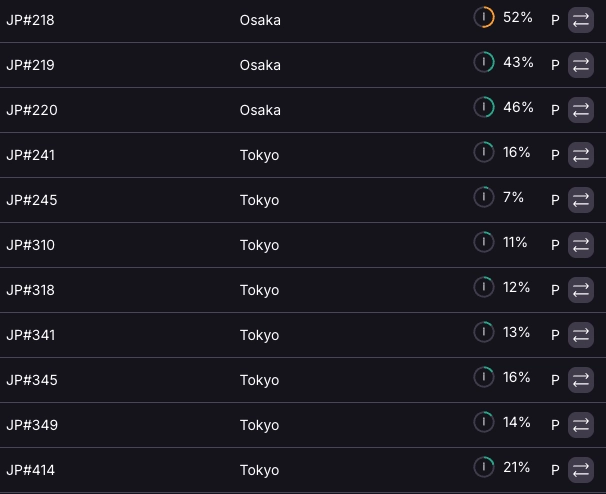
But the app was fine.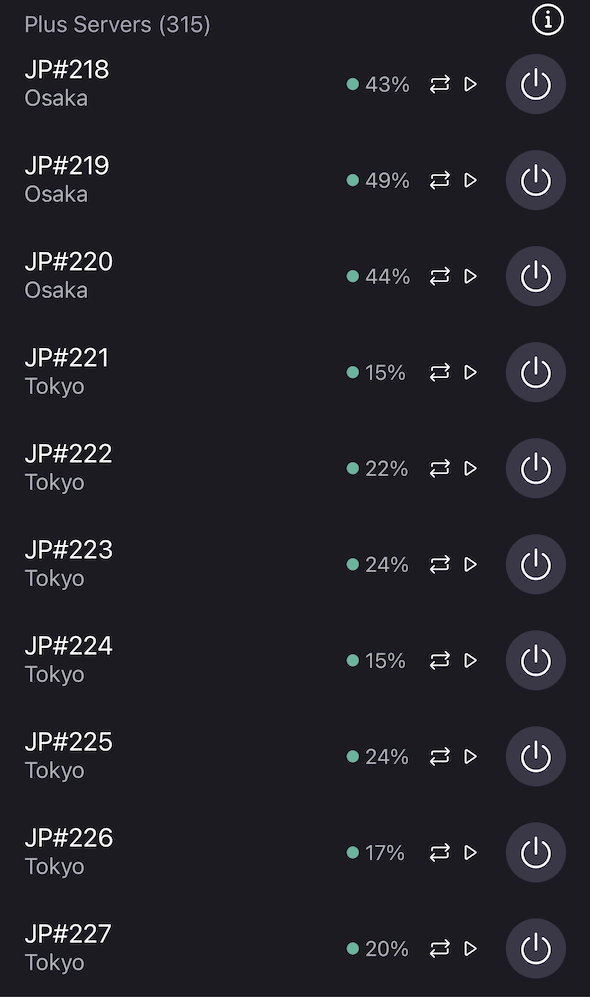
What I suspected
My gut feelings about the cause of the differences were:
- Different API endpoint / different param call
- Predefined list in the app
User-Agentdedicated for the app- Different header value
What I checked
The entry point was the same everywhere: GitHub.com for ProtonVPN
- Different API endpoint / different param call
🤔 It is indeed the same ,
with no additional parameters added.
- User-Agent dedicated for the app.
🤔 It is at least
not a special value .
- Predefined list in the app
🤔 Couldn’t find any in the source code either.
- Final resort, different header value
As the endpoint is a GET request, the only variables are the query params and the HTTP headers.
I found only one header that looked
somewhat related :x-pm-appversion.
I tried using the headerx-pm-appversion: [email protected]in the client.
And it worked flawlessly getting the full list!
Another finding about the Proton VPN WireGuard profile
ProtonVPN uses a single entry point to map multiple exit IPs.
e.g.
node-hk-05.protonvpn.net: a single peer IP can haveHK#28 ~ HK#39as exit IPs
In the data endpoint, they use label (the WireGuard config marks it as Bouncing) to indicate the actual exit IP being used.
What I discovered is that when you generate a WireGuard config on the page, the label (or Bouncing) is fixed.
If you change the peer IP and public key to another server in the configuration, there is no issue, and the exit IP becomes the corresponding label number of that peer IP.
For example:
You have generated a
HK#30profile on the account page in ProtonVPN.
It is underLabel=2innode-hk-05.protonvpn.netWhen you change the Peer to
node-jp-53.protonvpn.net(Ranges fromJP#334 ~ JP#363)
The actual exit node you are using will beLabel=2innode-jp-53.protonvpn.net, which isJP#336.
Whoops, you suddenly go from Hong Kong to Japan without generating another WireGuard configuration.
That’s weird.
This kind of investigation and scratch research is always fun.
Luckily this one was fairly straightforward.