I have a big problem.
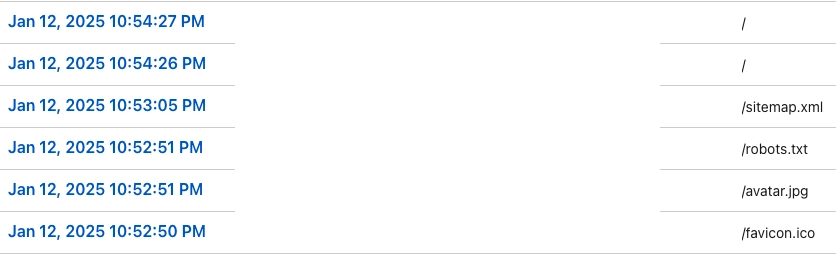
The problem is that I can’t check my site’s traffic info in the Cloudflare Dashboard properly because of the Gitea Runner.
I have a Gitea instance exposed to the internet through Cloudflare Tunnel, and the Gitea Runner is configured to connect to that Gitea through the public domain.
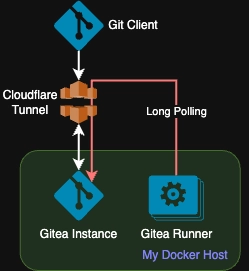
As the Gitea Runner needs to know if there is a pending CI/CD task, it will poll the Gitea instance.
The frequency is once every 2 seconds.
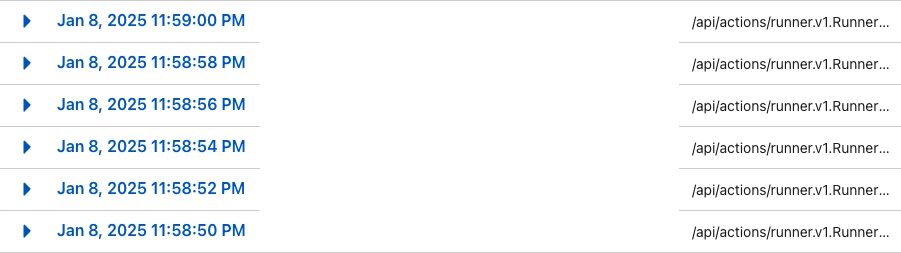
That means in a 24-hour timespan, there would be 86400 / 2 = 43200 requests to my Gitea instance through Cloudflare
Just for 1 Gitea runner.
Just imagine there are 10 of them. It is a nightmare.
Also, this polling traffic is kind of meaningless for me to check.
So the objective is clear for this one:
Find another service to somewhat route that polling traffic to the Gitea instance without passing through Cloudflare
And I have a candidate, Tailscale .
Tailscale is a WireGuard-based VPN service that provides an easy way to form a secure network.
And this was my idea for re-routing the traffic:
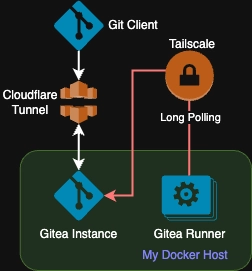
I wanted to connect to Tailscale, but not through the local Docker network, because I may want to deploy my runner elsewhere in the future.
To implement it, I had to change the Docker stack configuration:
- Add a Tailscale reverse proxy to Gitea. I used hollie/tailscale-caddy-proxy for this purpose.
And now you can access Gitea via https://gitea.foo-bar.ts.net after you authenticate your host in Tailscale.
- Register the Gitea runner. I used the third-party runner vegardit/gitea-act-runner for easier configuration.
There are a couple of things I want to point out:
TS_USERSPACE=falseandTS_ACCEPT_DNS=trueneed to be set so that the runner can access the tailnet.GITEA_RUNNER_JOB_CONTAINER_NETWORKmust be set to the Tailscale container name.
- In this case
gitea-runner-tailscale_gitea_runner-1because I created the container using Portainer’s stack function.- This configuration will be used by the runner containers created by Gitea Runner for each CI/CD job
- You can define multiple runner instances in one compose file through the same Tailscale network container.
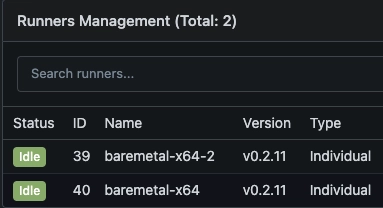
- The runners show up in Gitea after the deployment.
And my Cloudflare dashboard is finally usable again. Yay!